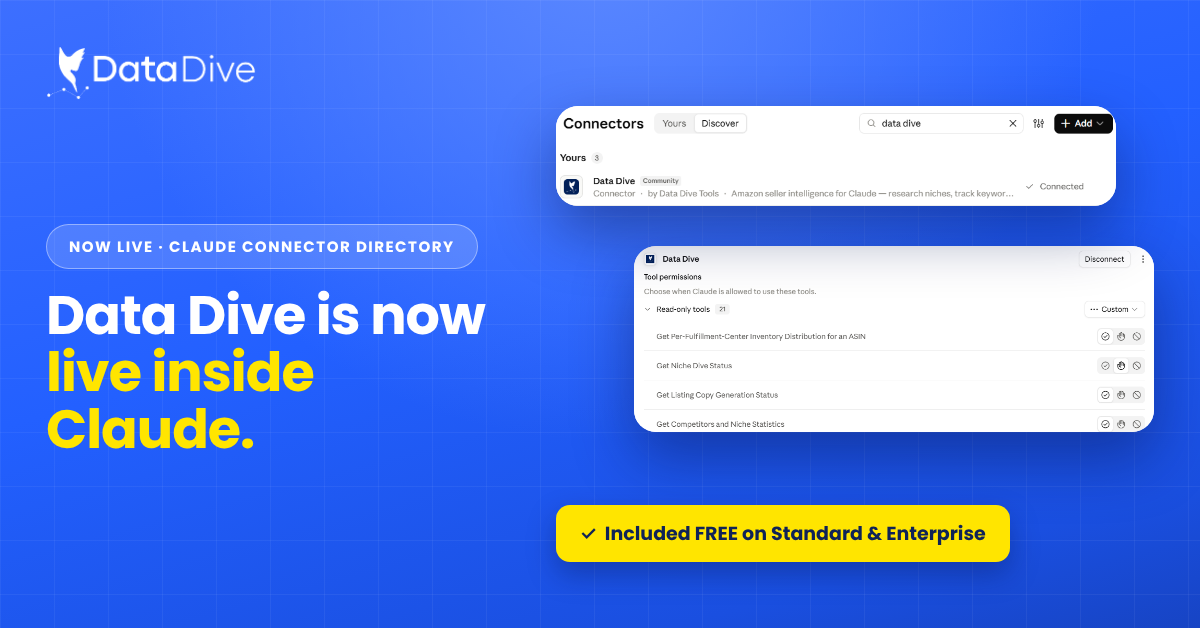
Data Dive MCP Connector Now Available in Claude Directory
Doral, Florida | October 14, 2026 Amazon sellers can now connect Data Dive with Claude and run research, ranking, listing, and monitoring

On July 27, 2026, Amazon title change goes live. The change caps product titles at 75 characters, down from 200. Amazon’s AI will rewrite listings that don’t comply.
The title is the single biggest ranking lever on Amazon, and Amazon just told all of us to rebuild it in a third of the space. Data Dive CEO, Brandon Young runs 450 products doing around $25M this year, and his team is running this exact playbook across his own catalog right now. Below is the full breakdown of what’s changing, why it matters more than most sellers realize, and the step-by-step way to get compliant without torching your rankings.
The Amazon title reset is a policy change, effective July 27, 2026, that cuts the maximum product title length from 200 to 75 characters and introduces a separate, searchable “Item Highlights” field. Titles still over the limit are rewritten by Amazon’s AI. Here are the facts, straight, so you can act on them.
One nuance worth understanding: the main title is read algorithmically — think of it as your “ranking juice.” You get ranking credit for the words you place there, and attribution for related keyword sets flows from it. The new Item Highlights field appears to be read differently more by AI, for audience, use case, and pain point and industry commentary suggests it’s weighted more heavily than generic back-end search terms. The two fields do different jobs. Treating Item Highlights like a second keyword dump wastes it.
Here’s the thing most sellers are missing. Getting under 75 characters is not the goal. Keeping your keyword attribution while getting under 75 is the goal. A “compliant” title that quietly dropped three keyword routes is a net loss even though Amazon never flags it.
And the risk isn’t evenly distributed. Amazon’s AI doesn’t know your secondary and tertiary keyword routes. When it rewrites a title it doesn’t understand, you can get de-indexed on terms you were ranking for. This results in losing traffic, sales, and cash flow. A drop from rank #5 to #40 is completely recoverable if you catch it on day one. If you’re not watching daily organic rank per keyword, that same drop goes unnoticed until sales fall, usually weeks after the cause. Untracked changes aren’t tests. They’re gambles.
There’s an upside hiding in here too. Unprepared competitors, including big brands relying on Amazon’s defaults, will absorb that indexing hit. If you’ve done the work, you may wake up on July 27 having jumped from #15 to #8 on keywords you never touched. This is as much an offensive opportunity as a compliance chore.
If you do nothing, Amazon’s AI rewrites any title over 75 characters for you. Expect missing keyword roots, de-indexing, falling ranks, less traffic, and fewer sales with no review window at all unless you’re enrolled in Brand Registry. Prime Day (June 23–26, 2026) is over, so the “hold all changes until after Prime Day” window has closed. As of today you have roughly two weeks. Doing nothing is a losing a decision.
It’s not easy, but it’s simple when you follow the framework used by Data Dive CEO Brandon Young.
Customers search for the same product hundreds of ways. A toiletry bag is also a bathroom bag, a shaving bag, a men’s travel bag, a Dopp kit. Pull your complete Master Keyword List in Data Dive so every route people use to find your product is identified before you cut anything.
Make sure every keyword that matters is tracked in Rank Radar. Review daily organic position, sitting right next to your PPC performance and SQP reports. You can’t tell if a cut hurt you if you never recorded where you started.
Split your current title into keyword routes (the words people actually search) and fluff (features, selling points, benefits, sizes, unit counts, ingredients). You’re about to protect the first bucket and sacrifice the second.
The title is your ranking juice. Represent every major keyword root here so you keep maximum ranking credit and attribution. Cut fluff, not search roots. Anything a customer uses to name the product needs to stay represented somewhere.
Move the fluff into the 125-character Item Highlights, but write it for the shopper (audience, pain point, use case), not as a keyword dump. Anything that doesn’t fit goes into your bullets. Data Dive’s AI Product Brief and customer-avatar data make this fast: it tells you the exact language and use cases real buyers care about, so Item Highlights reads like it was written for them.
Remove one or two pieces of fluff, save, and stop. Do not rewrite the whole title in one pass just because you mined better keywords, bulk changes are how you get de-indexed with no idea which edit caused it. Listing Changes logs every edit so you always know exactly what changed and when.
Check Rank Radar every day for sudden collapses. If a keyword drops from #5 to #40, revert to the previous title, isolate which removed element carried the attribution, and try a different cut. Turn on Account Alerts (Account → Integrations) so indexing issues and competitor moves hit your Slack the moment they happen.
With hundreds of products this takes real time, so start now and prioritize your highest-revenue ASINs first. Do the work and you’re positioned to inherit the ranks that unprepared competitors hand back to the algorithm.
The first three mistakes sellers make in this reset: rewriting everything at once, changing titles without tracking, and not reverting fast enough. These are all failures of tracking and alerting. That’s exactly the job Data Dive was built for. Here’s how the pieces fit together for the title reset.
July 27, 2026. From that date, titles are capped at 75 characters including spaces, in all categories except media.
75 characters (including spaces) down from the previous 200. Amazon also added a separate 125-character searchable Item Highlights field.
A new 125-character searchable field shown next to titles in search results and on the detail page, intended for materials, use cases, and comparison terms. It’s likely read by Amazon’s AI for audience, use case, and pain point, and appears to be weighted more heavily than generic back-end search terms.
Yes. Titles still over 75 characters after July 27 are gradually rewritten by Amazon’s AI. Brand Registry owners get a 14-day “Review Listing Changes” window; non-registered sellers get no review window.
Amazon’s AI doesn’t know your secondary keyword routes, so a rewrite can de-index you on terms you were ranking for — dropping rank and traffic, often before you notice a sales dip. This is why every change should be made one at a time and tracked daily in Rank Radar.
Mine every keyword root with the Master Keyword List, baseline daily rank in Rank Radar, cut fluff before keywords, keep every major route in the 75-character title, move the rest into Item Highlights and bullets, change one thing at a time, and revert immediately if anything de-indexes.
No. Waiting hands the cut to Amazon’s AI. Acting early lets you control the change, test safely, and take rank from competitors who let Amazon rewrite for them.
More than ever. The title is read algorithmically and remains the biggest ranking lever on Amazon. With only 75 characters, every word has to earn its place.
The sellers who win this reshuffle won’t be the ones who scramble on July 27. They’ll be the ones who tested, tracked, and reverted every change in the two weeks before. Mine your keywords, cut with a plan, and watch your rank daily — that’s the whole game.
New to Data Dive? Start free, pull your first Master Keyword List, and test your title changes safely in Rank Radar before Amazon makes the cut for you.
Brandon Young is the CEO and co-founder of Data Dive and an 8-figure Amazon private-label seller running roughly 450 products. He’s applying the exact process in this article across his own catalog and reporting publicly on what works.
Doral, Florida | October 14, 2026 Amazon sellers can now connect Data Dive with Claude and run research, ranking, listing, and monitoring
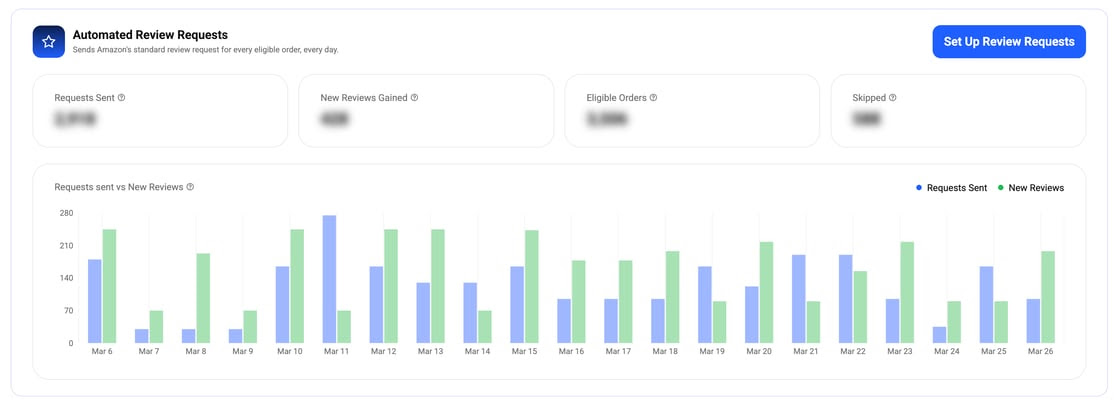
Data Dive now sends Amazon’s standard review request automatically for every eligible order. Pick your products, set your timing, and track results in one dashboard.