Compare Like With Like: Date Range Mistake That Makes Good Rank Data Look Wrong
Most rank arguments are date range arguments. Brandon Young on comparing like with like, and a weekly routine that makes rank data clear.

Brandon Young
CEO and Co founder, Data Dive
One of Data Dive’s strongest advantages is helping sellers reverse engineer how successful competitors generate traffic, rankings, and sales.
A new Data Dive Chrome extension update now warns you when competitors in Dive Box sell under about 100 units monthly.
You can deselect those low selling competitors before running the dive, keeping your analysis focused on products generating meaningful sales.
The warning does not remove competitors automatically, so you can still keep new entrants or seasonal products when relevant.
Studying competitors only helps when the selected products contain enough sales activity to reveal useful patterns worth learning from.
Competitors generating consistent sales provide stronger evidence about keyword visibility, customer demand, pricing, positioning, and purchase behavior inside the niche.
Reverse engineering works because strong competitors reveal where sales originate, which keywords perform, and which marketplace signals deserve closer attention.
Low selling competitors create weak signals because their keyword rankings and sales histories provide too little evidence for reliable conclusions.
Add enough of those products, and your final analysis blends strong sellers with weak performers until the useful pattern becomes harder.
The goal is not excluding products unfairly, but protecting your analysis from competitors whose sales cannot explain marketplace demand clearly.
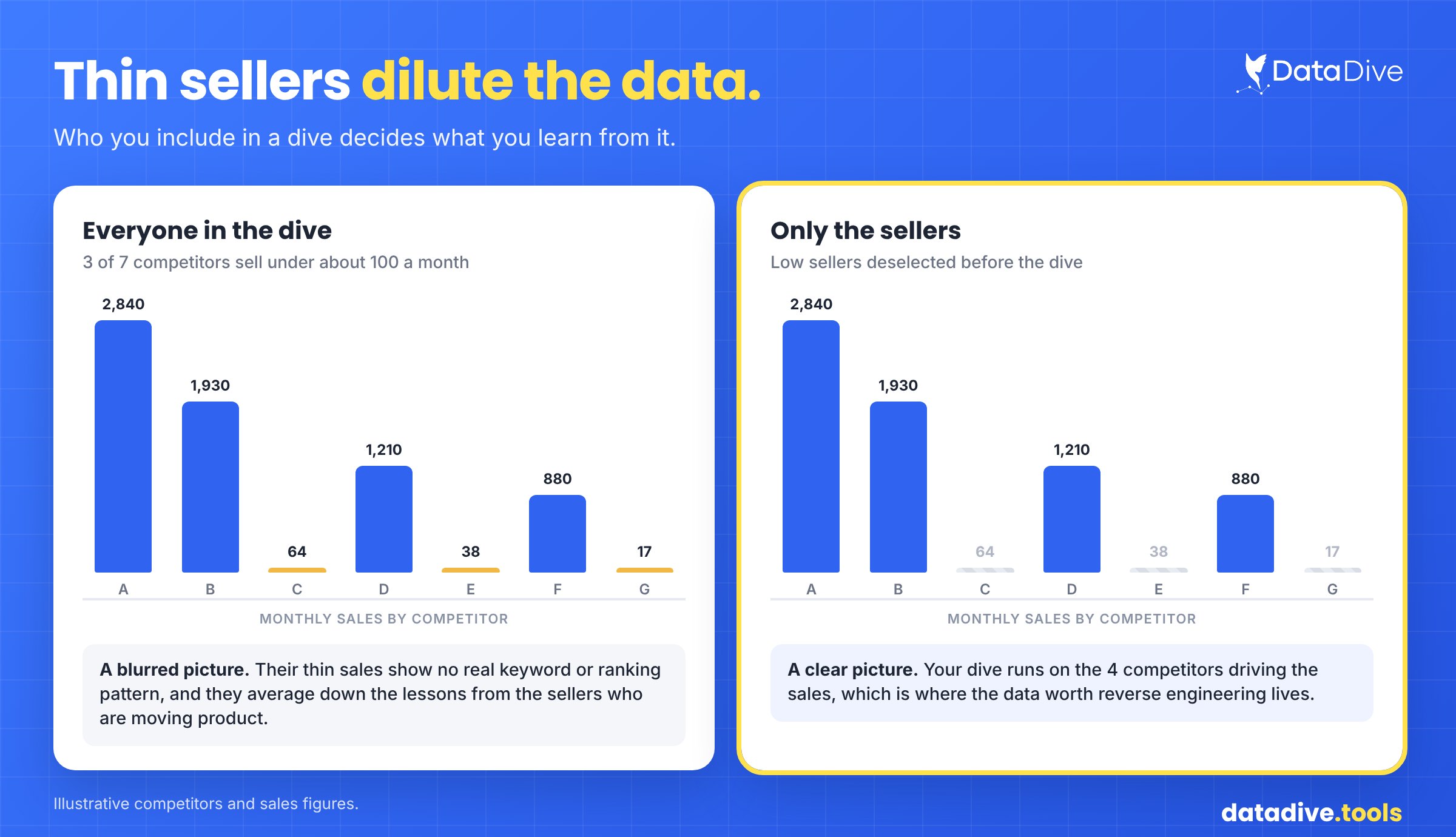
Low sellers blur the competitor picture, while removing them keeps the dive focused on products generating meaningful marketplace sales.
The latest Data Dive Chrome extension carrying this update is available through the official Chrome Web Store for installation.
Dive Box now warns you before analysis when selected competitors sell under about 100 units during a typical month.
The message includes a Deselect them button, giving you one quick way to remove weak sales signals before continuing.
After removing those competitors, your dive focuses on products generating enough sales activity to provide useful ranking and keyword evidence.
The threshold is a warning rather than an automatic rule, preserving your control over which competitors remain inside the analysis.
The warning appears before analysis begins, helping sellers inspect weak sales signals while the competitor set can still be adjusted.
The same Chrome extension update also improves large accounts by changing how the Dive Box niche list loads and searches.
The niche list now loads in pages and searches across the entire account, helping sellers managing very large niche libraries.
This update makes the list easier to access without encountering the previous error that could appear for accounts with many niches.
Data Dive deliberately warns instead of silently removing competitors, because sellers may have valid reasons for monitoring unusual products.
A newly launched competitor may have limited sales today while still representing an important product worth watching over coming months.
Seasonal products may also look weak during quieter periods even though their sales become meaningful during specific parts of the year.
Keeping those competitors remains your decision, while the warning makes accidental inclusion of weak signals much harder during research.
The feature protects research quality without replacing seller judgment, which remains important when competitors behave differently for legitimate business reasons.
The important improvement is timing because the warning appears before the dive runs, while your competitor set remains adjustable.
Good analysis tools should surface important judgment calls clearly, then let the operator decide how those signals should be handled.
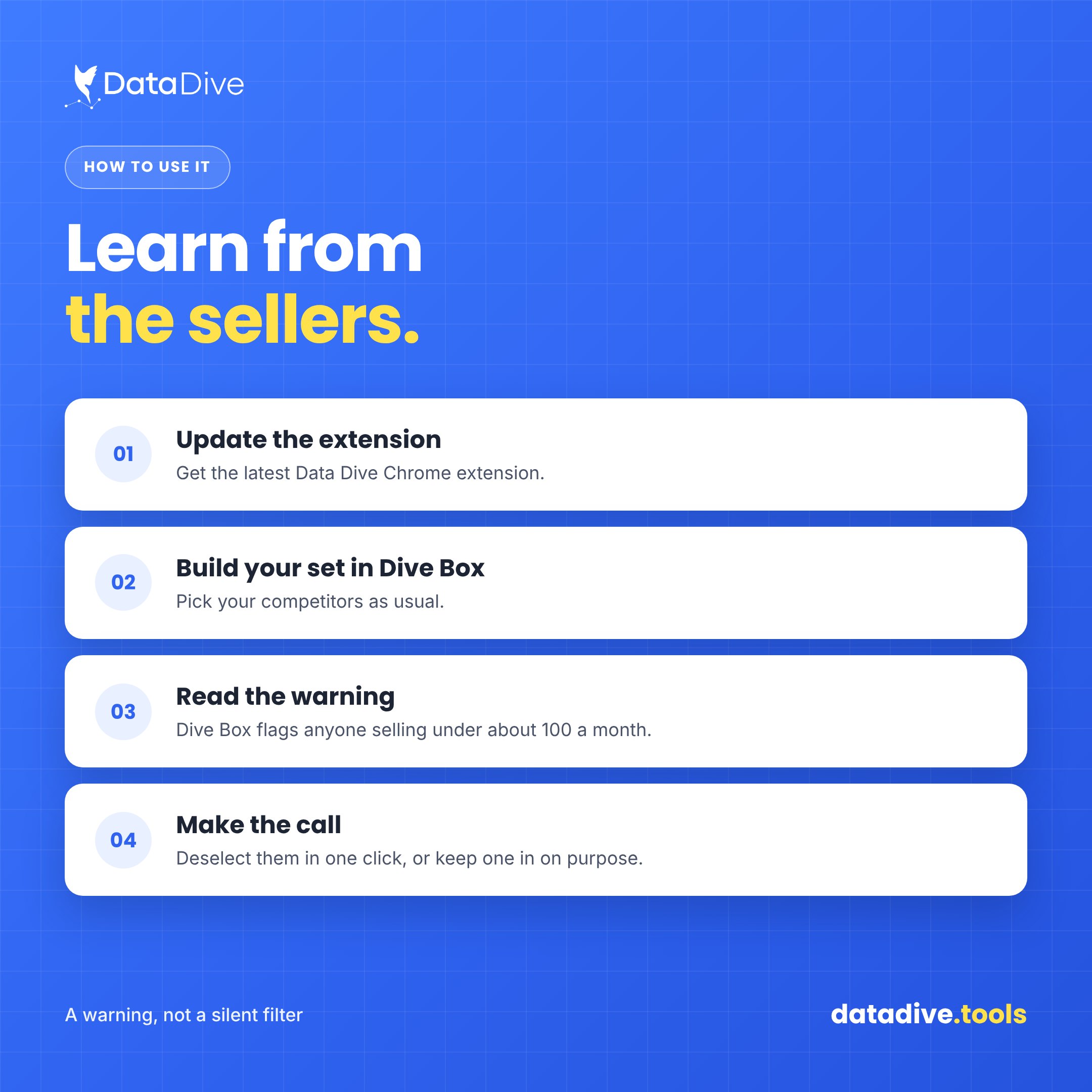
Four steps help sellers update Dive Box, review the warning, and decide which competitors belong inside the final analysis.
Reverse engineering becomes more useful when the competitors being studied generate enough sales to reveal patterns sellers can actually apply.
The new Dive Box warning helps protect that process by identifying low selling competitors before their weak signals dilute analysis.
You still control the final competitor set, while Data Dive gives you better information before deciding which products deserve inclusion.
Before a dive runs, Dive Box warns when selected competitors sell under approximately 100 units during a typical month.
Low selling competitors provide limited ranking and keyword evidence, making their data less useful for reverse engineering successful marketplace behavior.
No, Dive Box only warns you, leaving the final decision with the seller before any competitor is removed from analysis.
Update to the latest Data Dive Chrome extension, then review the warning displayed inside Dive Box before running your dive.
The niche list now loads in pages and searches your entire account, improving access for sellers managing many saved niches.
How To Find Winning Products on Amazon: Explore the research workflow Data Dive sellers can use when validating niches and evaluating stronger product opportunities.
Data Dive Indexing Alerts: Learn how indexing alerts help sellers identify invisible listing problems before those issues begin affecting marketplace visibility.
Amazon Title Changes: Review how Rank Radar helps sellers monitor keyword performance while Amazon listing requirements and content continue changing.