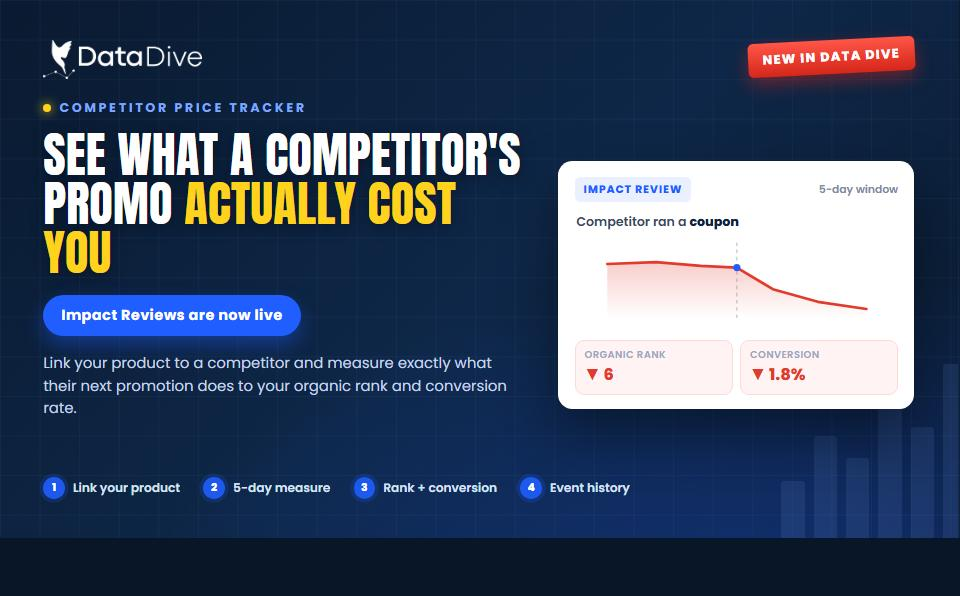
Data Dive’s Competitor Price Tracker Now Gives Impact Review What a Competitor’s Promo Actually Cost You
Your rank slipped last Tuesday. Was that something you did, or something a competitor did? Until now, Competitor Price Tracker could tell

Product Catalog is the centralized control center for everything you actively sell on Amazon.
It connects your live Amazon Seller account directly with Data Dive tools and gives you one operational dashboard to manage performance, inventory, listing activity, and tracking. Instead of moving between Seller Central, Rank Radar, and separate Niche workspaces, Product Catalog brings everything into one coordinated view.
If you manage multiple ASINs or product families, this becomes your command center.
Product Catalog requires an active Amazon Seller account connection.
Inside Data Dive, you connect or manage accounts through the Seller Accounts section. Once connected, your live products automatically populate inside Product Catalog.
From there you can:
Each connected marketplace displays the number of ASINs, connection status, and last update. If a connection drops, you receive a reconnect prompt.
This ensures your operational dashboard reflects real-time data from your active listings.
Product Catalog gives you full performance visibility across all active ASINs.
At a glance, you can view:
You can drill down per ASIN to understand how each product performs individually.
The Sales tab provides both account-level summaries and per-ASIN breakdowns, including organic versus paid splits and current stock levels.
Filters allow you to sort by ASIN, product family, or brand. This becomes especially useful when managing larger catalogs or multiple brands under one account.
Instead of opening separate reports inside Seller Central and cross-referencing manually, performance lives inside one connected view.
Inside the Inventory tab, you can track:
This helps you identify products at risk of going out of stock before ranking drops occur.
Stock depletion often impacts organic visibility. By monitoring inventory alongside sales performance inside the same dashboard, you gain earlier insight into risk and can make restocking decisions with more confidence.

Product Catalog tracks listing changes across your own ASINs.
It records:
For each change, you can see what was updated and when. You can also jump directly to Seller Central from within the dashboard.
This serves multiple purposes:
If sales shift or conversion changes, you can review whether a listing update occurred during that period. This creates stronger cause-and-effect visibility between edits and results.
Listing monitoring increases operational control.Listing monitoring increases operational control.
Product Catalog integrates directly with your research and tracking tools.
From each ASIN, you can see:
You can also create a new Niche or Rank Radar directly from the ASIN view.
If a product is already tracked in another Rank Radar, you will receive an informational message. This does not block you from creating additional trackers.
This connection allows you to move seamlessly between:
Product Catalog manages what you actively sell.
Niches manage keyword research workspaces.
An ASIN inside Product Catalog does not automatically belong to a Niche, and a Niche can include your ASIN without being structurally owned by it. Each tool serves a distinct role, and together they provide deeper visibility across research and operations.

You can switch between ASIN-level and Product Family views.
This allows you to:
For sellers managing variation-heavy listings, this improves visibility across related products and prevents fragmented analysis.
Product Catalog consolidates performance, inventory, listing activity, and tracking into one unified operational view.
Instead of moving between multiple dashboards, exporting reports, and manually cross-checking updates, you gain:
When operational data lives in one place, decisions become faster and more structured.
Product Catalog functions as the bridge between live Amazon selling activity and the analytical tools inside Data Dive.
It provides control across performance, inventory, and tracking in a single connected environment.This is how sellers build Amazon businesses that last.
Your rank slipped last Tuesday. Was that something you did, or something a competitor did? Until now, Competitor Price Tracker could tell

Amazon caps product titles at 75 characters on July 27, 2026. Here’s the full change, why it matters, and the step-by-step fix using Data Dive.