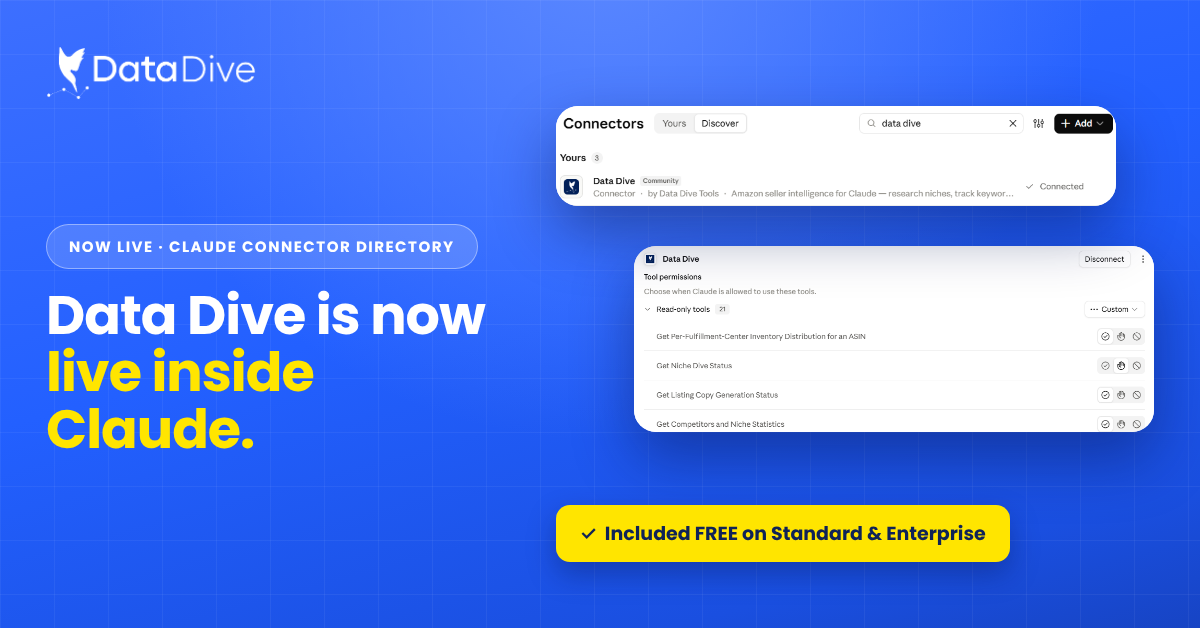
Data Dive MCP Connector Now Available in Claude Directory
Doral, Florida | October 14, 2026 Amazon sellers can now connect Data Dive with Claude and run research, ranking, listing, and monitoring
Your rank slipped last Tuesday. Was that something you did, or something a competitor did? Until now, Competitor Price Tracker could tell you a competitor ran a promotion. It couldn’t tell you what that promotion did to your product. That’s changing.
In short: Impact Reviews let you link one of your products to a competitor you track. When that competitor runs a promotion or drops price, Data Dive waits five days and measures how your rankings and conversion rate changed — so you know whether the move actually cost you, instead of guessing.
Competitor Price Tracker watches the products you compete against and flags the moment something shifts — a price drop, a coupon, a new promotion. It answers the question every seller asks after a rough week: did a competitor do something, or is this on me?
Until now, that answer stopped at detection. You’d see a competitor cut their price 15%, and from there the rest was on you to figure out. Detection is useful, but on its own it still leaves you guessing about the part that actually matters — whether that move touched your business at all.
You can now link one of your own products to a competitor you’re tracking. Once they’re linked, Data Dive doesn’t just tell you when a competitor moves. It tells you what that move cost or gained you.

When a linked competitor drops their price or launches a promotion, Data Dive waits five days, then measures the change in your product’s rankings and conversion rate over that window. The result lands in a review you can open directly from the tracker.
Five days is deliberate. It’s long enough for a promotion to actually move the market, but short enough that the review still reflects that specific event instead of weeks of background noise. You get a clean before-and-after tied to one competitor action — not a vague sense that “something happened last month.”
Open a review and you’re looking at two numbers that matter: how your organic rank moved over the five-day window, and how your conversion rate moved alongside it. Read together, they separate a visibility problem from a persuasion problem — and those two problems have very different fixes.
If your rank dropped but conversion held, you’re losing impressions, not the buy-box argument. If rank held but conversion fell, shoppers who still saw you chose the competitor instead — and matching visibility won’t fix a price or offer they liked better. Catching a ranking slide early is the difference between spending on the right response and spending on the wrong one.

A competitor’s price drop and a dip in your own rank in the same week could be connected. Or they could be coincidence. Without a way to test the link, most sellers guess — and reactive pricing built on a guess is how margin quietly disappears. You defend a listing that never needed defending, or you fire off a coupon to answer a competitor move that wasn’t actually costing you anything.
Picture the usual version of this. A competitor runs a coupon, your rank slides three spots, and you burn an afternoon second-guessing your bids before landing on a hunch. With a linked product, that afternoon becomes a single review that either confirms the connection or clears the competitor — and either answer keeps you from acting on the wrong one.
Impact Reviews replace the guess with a measurement. You get a direct read on whether a specific competitor event moved your rankings and conversion rate, so you know whether to respond, and how.
Over time, this builds something more useful than any single alert: a picture of which competitors actually affect your performance and which don’t. Not everyone on your tracked list is worth reacting to. Some move the market. Some don’t. Now you can tell the difference — and put your attention on the ones that matter, the same way you’d prioritize the products worth pursuing in the first place.
A few habits separate a feature you glance at from one that changes decisions:
Detecting a competitor’s price move was always useful. Knowing what that move did to your rankings and conversion rate is what turns detection into a decision. Link your key products, keep Rank Radar active on them, and let the next competitor promotion tell you something you can act on — instead of something you have to guess about.
Ready to see what your competitors’ next move actually costs you? Link a product in Competitor Price Tracker and let the next promotion measure itself.
An Impact Review measures what a specific competitor promotion did to your product. When a linked competitor drops price or runs a promo, Data Dive waits five days, then reports how your organic rank and conversion rate changed over that window.
You link one of your products to a tracked competitor. When that competitor runs a promotion or price drop, Data Dive compares your product’s rankings and conversion rate across a five-day window and delivers the before-and-after as a review in the tracker.
Five days is long enough for a promotion to actually move the market, but short enough to isolate that specific event. A shorter window can miss the effect; a longer one blends in unrelated noise.
Yes. Impact Reviews rely on Rank Radar tracking the linked product. Without a daily rank baseline, there’s nothing to measure the competitor’s promotion against.
Alerts tell you when a competitor moves — a price drop, coupon, or promotion. Impact Reviews tell you what that move did to your rank and conversion rate, so detection becomes a decision instead of guesswork.
Yes. Over time, Impact Reviews and the Event History table on the Manage Competitors page show which competitors move your rank and conversion and which don’t, so you can focus your attention on the ones that genuinely affect performance.
Amazon’s promotion types, coupon mechanics, and program terms change over time, so confirm current details in your own Seller Central dashboard before making any pricing or promotional decision.
Doral, Florida | October 14, 2026 Amazon sellers can now connect Data Dive with Claude and run research, ranking, listing, and monitoring
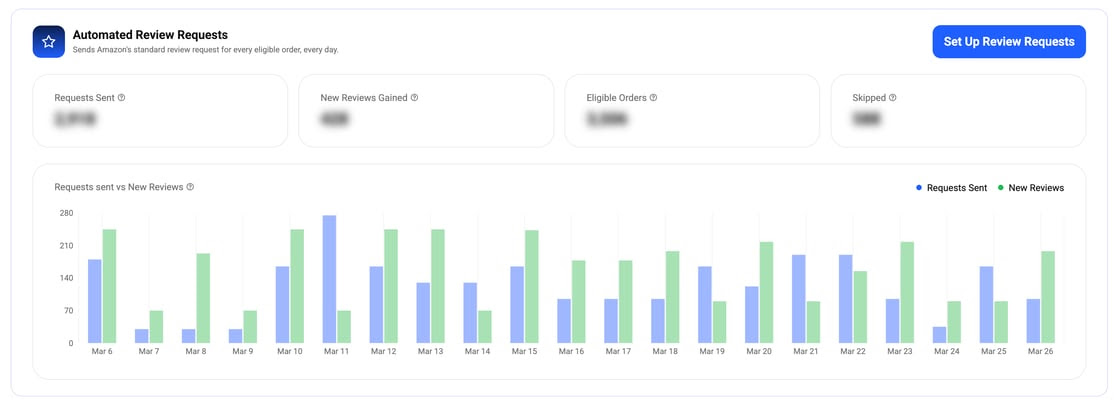
Data Dive now sends Amazon’s standard review request automatically for every eligible order. Pick your products, set your timing, and track results in one dashboard.