Compare Like With Like: Date Range Mistake That Makes Good Rank Data Look Wrong
Most rank arguments are date range arguments. Brandon Young on comparing like with like, and a weekly routine that makes rank data clear.

Brandon Young
CEO and Co founder, Data Dive
Rank data is designed for scanning, because sellers need to spot strength, decline, and immediate action without reading every number.
Data Dive now offers a Color blind friendly colors switch inside Rank Radar and the Master Keyword List for easier scanning.
When enabled, rank colors change from green and red to blue and orange, while the underlying rank numbers remain unchanged.
The setting is personal for each user, stays off by default, and leaves everyone else on the familiar classic view.
Rank Radar tracks keyword rankings every day, helping sellers compare organic visibility, PPC activity, and important ranking changes over time.
The heatmap is built for scanning, which makes color especially important when sellers need to recognize ranking patterns across many keywords.
Rank Radar’s heatmap helps sellers scan keyword movement across days and compare how individual product variations are ranking.
The Product Performance view summarizes Organic Rank Averages alongside Top 10 and Top 50 keyword visibility.
Color already does much of the scanning work because visual patterns help sellers understand large blocks of ranking data faster.
That advantage disappears when two important colors are difficult to separate, forcing someone to decode cells instead of reading patterns.
Red and green are especially important here because red green color vision deficiency is the most common form of color blindness.
The National Eye Institute explains that this condition makes distinguishing red from green difficult for many people with color vision deficiency.
Data Dive addresses that specific usability problem by offering blue and orange as an alternative across both supported ranking views.
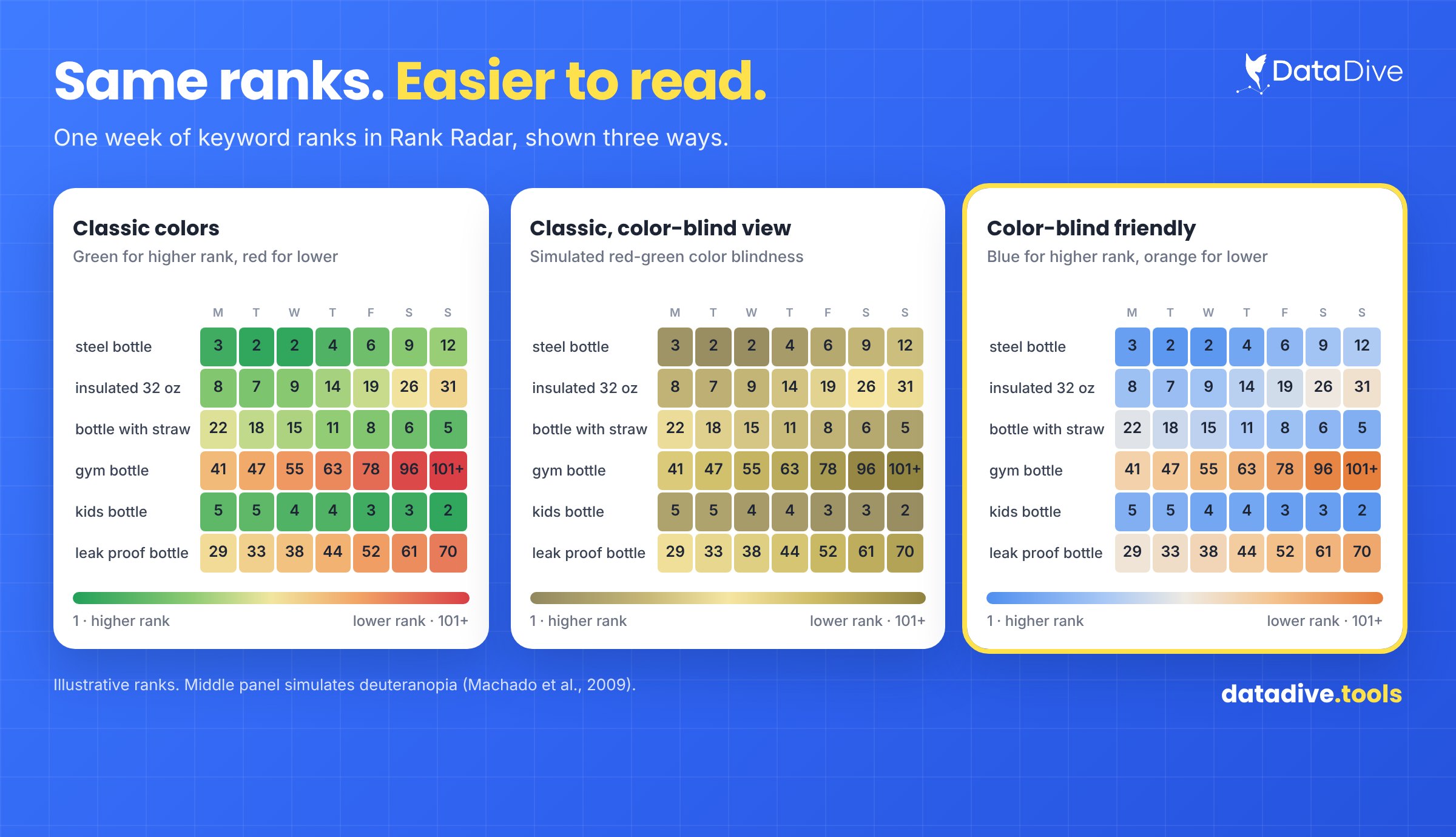
The same ranking week appears in classic colors, a simulated red green color blind view, and the new alternative palette.
Rank Radar and the Master Keyword List now include the new switch directly inside the Colors legend for convenient access.
Turn the option on and ranking cells immediately use blue and orange instead of the familiar green and red palette.
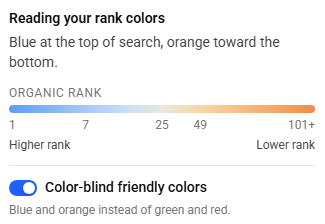
The Colors legend places the personal color option beside the ranking scale, where users can enable blue and orange.
Nothing else changes, because keyword positions, historical rankings, filters, and the underlying information continue working exactly as before.
Each user controls the setting independently, allowing teammates to choose whichever color palette works better for their own viewing needs.
The option also remains disabled by default, preventing unexpected visual changes for sellers already comfortable with the existing color system.
Accessibility belongs inside that workflow because useful data only helps when every operator can interpret its patterns efficiently and confidently.
A ranking heatmap that takes one teammate five seconds and another much longer creates different working speeds inside one process.
That difference becomes operational friction when teams are monitoring launches, advertising changes, listing updates, or unexpected movement across important keywords.
Making the palette adjustable removes one unnecessary barrier without changing the research method, ranking logic, or decisions sellers already understand.
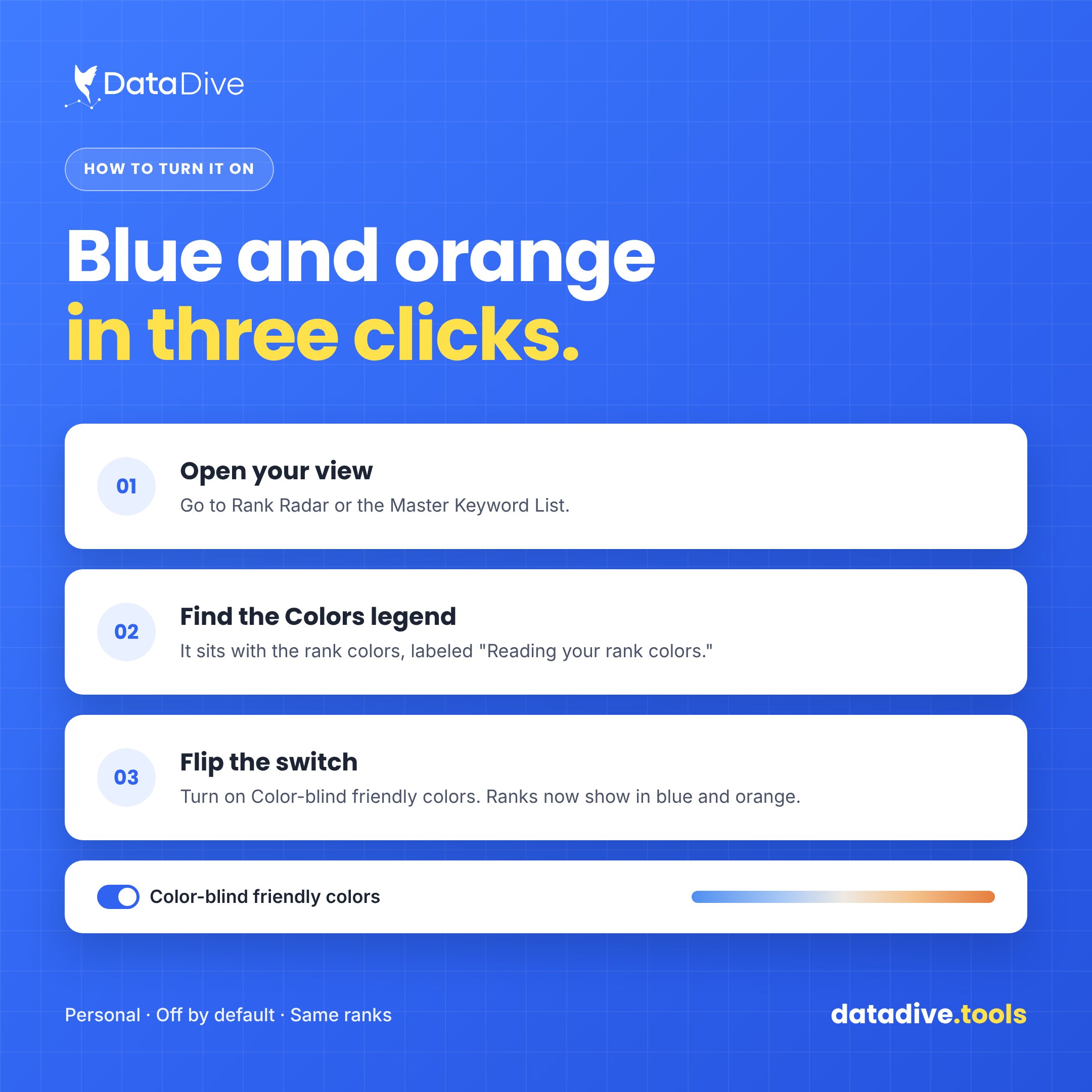
This guide shows the three steps required to find the setting and change ranking colors inside either supported view.
If you manage a team, mention the option so anyone struggling with the standard palette knows an alternative is available.
SAME TOOLS
The feature does not create a new Rank Radar, change keyword calculations, or alter anything about the Master Keyword List.
ONE ALTERNATIVE PALETTE
It also cannot solve every type of color vision difference because different people experience color perception in different ways.
YOUR CHOICE
Instead, the setting replaces the classic red and green pair with blue and orange whenever that alternative works better.
If the original colors already work well for you, leave the switch off and continue using the familiar display.
Tools should help every operator read the same information efficiently, especially when fast pattern recognition supports important marketplace decisions.
This update keeps the ranking workflow familiar while giving individual users another way to make dense keyword data easier to scan.
Turn the option on when blue and orange work better, then return to tracking ranks, identifying risk, and taking action.
Rank Radar and the Master Keyword List include a Color blind friendly colors switch that changes ranking cells to blue and orange.
Open Rank Radar or the Master Keyword List, find the Colors legend, then enable the Color blind friendly colors option.
Each user controls the preference independently, so enabling the alternative palette does not change how teammates see their ranking data.
The setting remains off by default, meaning existing accounts continue using green and red until an individual user enables it.
Rank values remain unchanged because the setting only adjusts how ranking cells are colored and does not modify underlying data.
Data Dive Indexing Alerts: Learn how Data Dive alerts sellers when important listing keywords unexpectedly lose indexing and require attention before visibility suffers further.
Data Dive Webhook Alerts: See how webhook notifications can deliver Data Dive alerts into Slack, helping teams respond without repeatedly checking dashboards throughout the day.
Amazon Title Changes: Review how Rank Radar can help sellers monitor important keyword positions when Amazon changes title requirements or listing content.
Most rank arguments are date range arguments. Brandon Young on comparing like with like, and a weekly routine that makes rank data clear.
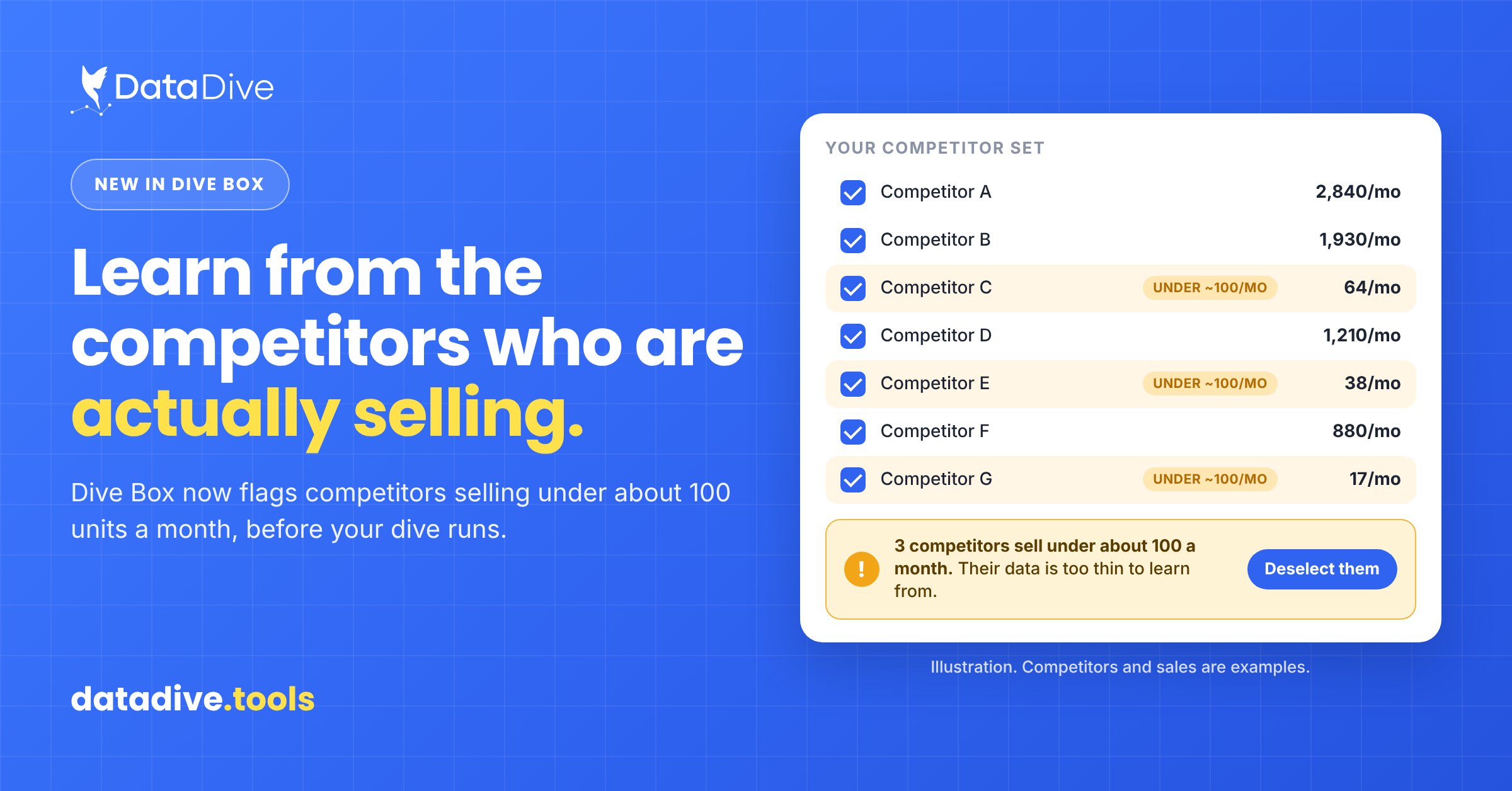
Data Dive’s Dive Box now warns you about competitors selling under about 100 units a month before a dive runs, so you learn from the sellers who are actually selling.